eDNAmap: instruction |
| Overview |
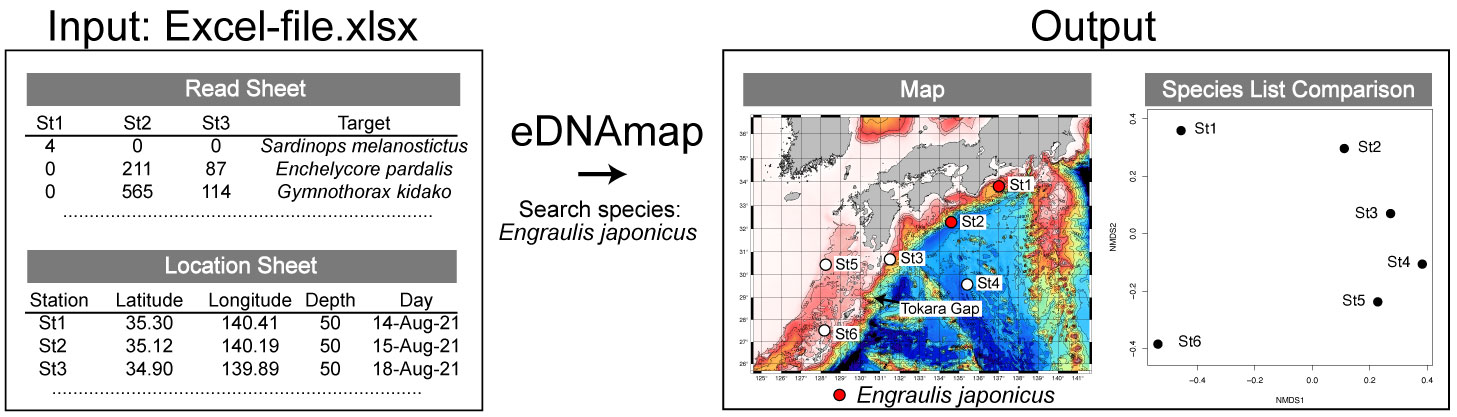
eDNAmap is software that analyzes species/ASV tables obtained from environmental DNA metabarcoding analysis to compare species distribution and biota. The database consists of species/ASV lists obtained from regions centered around the western North Pacific Ocean.
Users can,
1. investigate the distribution of species you're interested in.
2. upload a species/ASV list with individual counts/sequence numbers and compare species composition between sampling locations.
3. plot sampling locations on a map.
| Tutorial |
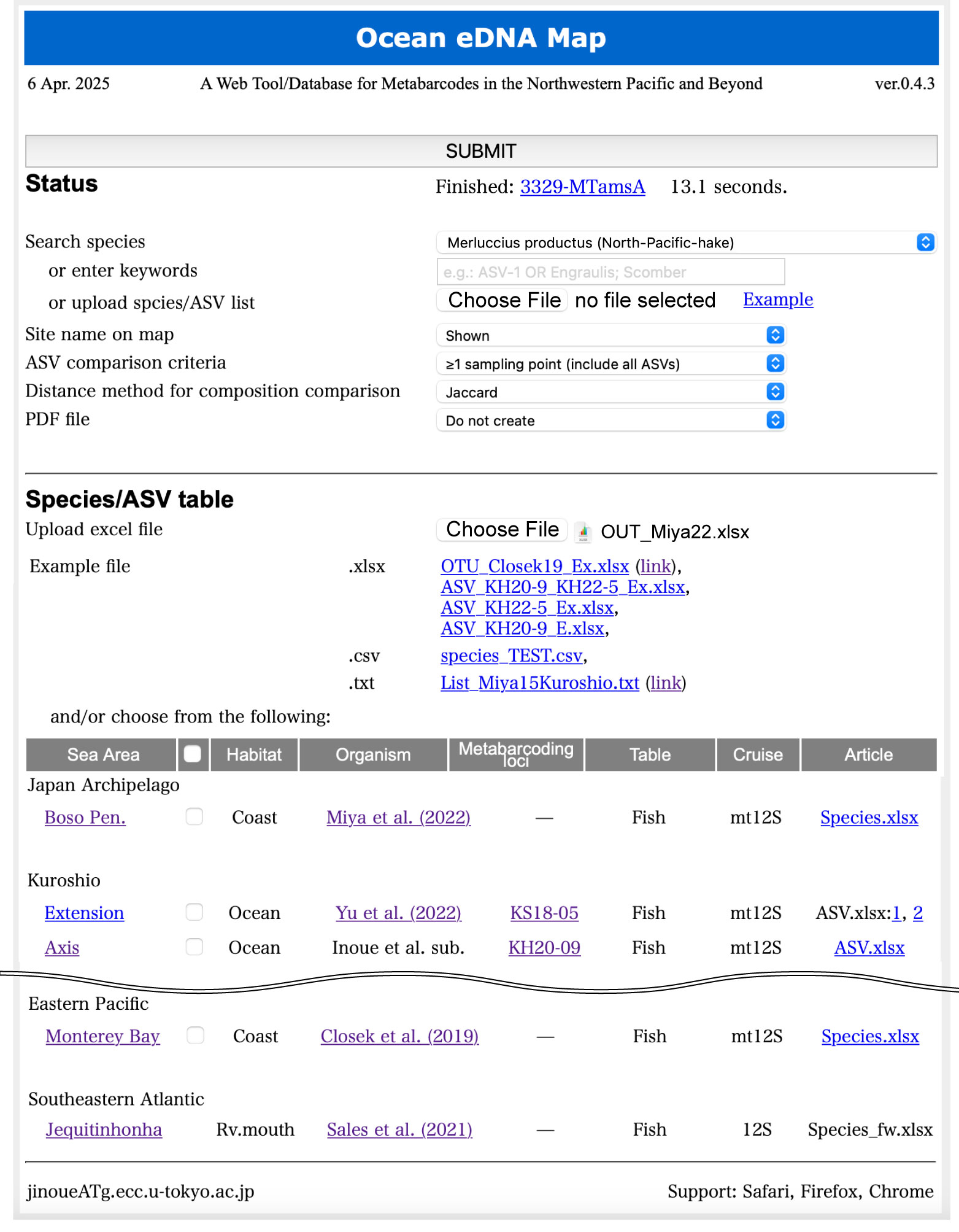
Search species:
(1)
Search for the species name selected from the dropdown menu.
(2) Search for the keyword entered in the text box.
(3) Search by uploading a list of species names or ASV-IDs.
If an upload file is present (3), the search words from steps (1) and (2) will not be used.
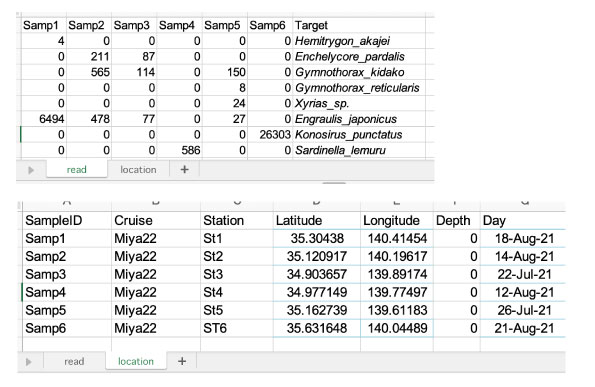
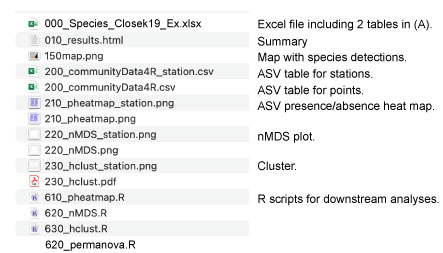
Users can independently perform PERMANOVA and environmental correlation analyses using various .R scripts downloaded as outputs.
| Fish Habitat Lookup |
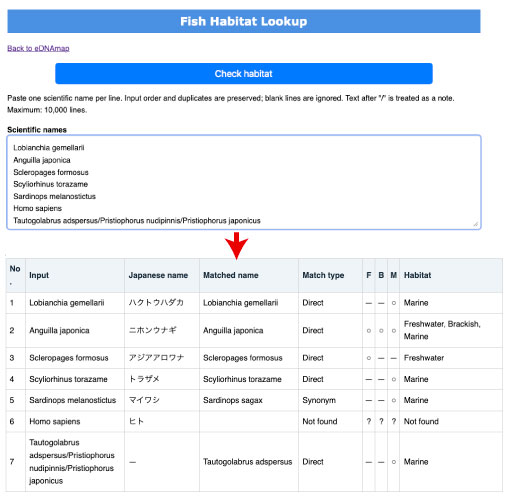
Fish Habitat Lookup checks freshwater, brackish-water, and marine habitat records for a list of scientific names using FishBase data, with synonym matching and Japanese names where available. Created September 19, 2026.
| History |
| 16 Oct 2026 | v1.0.4:
|
| 6 Sep 2026 | v1.0.3: Security improvements were added for file uploads, input validation, session keys, error handling, and uploaded filenames. |
| 2 Mar 2026 | v1.0.2: Cartopy was added alongside the Generic Mapping Tools (GMT).
|
| 4 Feb 2026 | New option added: Mode (Mapping or Copmaring-species-lists). |
| 4 Feb 2026 | New ASV/OTU table added: KS20-13, S21-3,S21-8,S21-11,S21-12,S21-24,H22-1,H22-3,H22-4,S22-7,S22-11,S22-15,S23-2,H23-2 |
| Dependencies |
| Table handling: | pandas |
| Map tools: | Cartopy |
| Haetmap: | pheatmap in R, Version 4.3.2. |
| nMDS, PERMANOVA, hclust: | vegan in R |
| Citation |
Inoue J, Hirai J, Ikeba K, Yu Z, Ahmed SI, Lin Z, Lin Y, Wong MK-S, Shinzato C, Itoh S, Ito S-i, Saito H, Hyodo S. 2026. eDNAmap: A Metabarcoding Web Tool for Comparing Marine Biodiversity, With Special Reference to Teleost Fish. Molecular Ecology Resources 26:e70066. Link.
 |